Connecting to data
A datasource is a named connection with a tree of variables under it. Connect to a PLC over OPC-UA with the guided wizard, or use a static datasource to mock values while you design. Then browse the address space into a tree your pages can bind to.
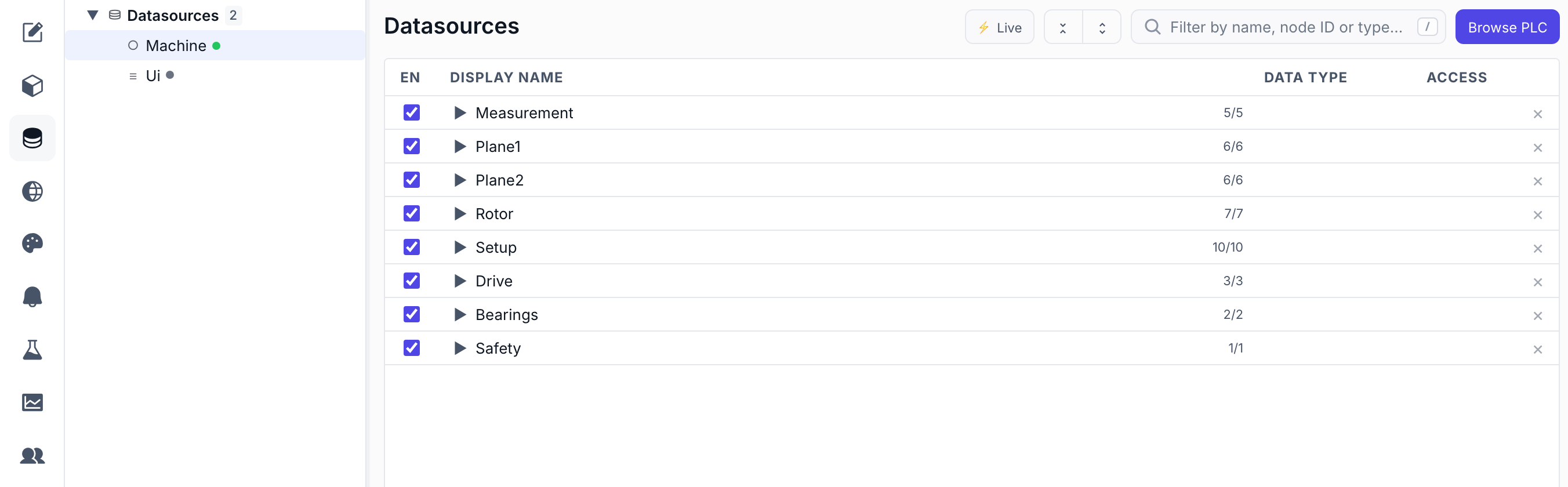
Connect to a PLC with the OPC-UA wizard
The connection wizard walks three steps — Connection, Sign-in, Sync — and can discover a server's endpoints for you.
- Enter the server address — On the Connection step, type the endpoint —
opc.tcp://192.168.1.10:4840(or justhost:port). Give the datasource a name likeLinePLC; that name becomes the prefix in every binding (LinePLC:…). - Discover endpoints (optional) — Click Discover endpoints instead and then Discover. NEXT HMI queries the server and lists each endpoint with its security policy, mode, and accepted user tokens. Pick one — the most secure is preselected — and its security settings fill in for you.
- Choose how to sign in — On Sign-in, pick Anonymous or Username & password. The wizard offers only what the chosen endpoint actually accepts.
- Test, then create — On Sync, hit Test connection — a green Connected — <server name> confirms it. Create the datasource; it starts connecting immediately, and you can jump straight to Browse variables.
Under the hood an asyncua client pool handles the session. For encrypted endpoints, certificates are configured afterwards in the datasource's Security settings.
Design offline with a static datasource
No PLC handy? A static datasource is a variable tree you define by hand, with no connection behind it. Bindings, writes and actions behave exactly as they will against a live server, so you can build and demo a whole screen set before the panel is wired.
- Add it — Click the
+on the Datasources row and choose Static Variables. Name it (Demo,Line1Mock) — the name is the binding prefix, same as for a real connection. - Add variables — Right-click in the variable table and pick Variable, Folder, Array or Array Struct. A folder groups variables; an array asks for its length.
- Fill the row in — Display Name, a Data Type from the simple list (
Boolean,Integer,Float,String,DateTime, …), and Access — mark it writable if a control should push values to it. NEXT HMI records a representative OPC-UA type behind your choice, so nothing changes in your pages when you swap in a real server later. - Watch the values — Toggle ⚡ Live in the toolbar for a Value column showing what each variable holds right now.
Static values live in memory only. Every variable starts at its type's zero value (0, false, "") and holds whatever the HMI writes to it while the project runs. Nothing is written to disk, so a restart puts the whole tree back to zero — the definitions persist, the values don't.
Browse the address space into a tree
Open the datasource and browse. Each variable is recorded with its real OPC-UA data type, whether it's writable, and (for arrays) its length. Variables live in a tree of four bindable shapes plus organising folders:
| Node | What it is | Binds as |
|---|---|---|
| Scalar | A single value. | one number / string / bool… |
| Array | A scalar repeated N times. | the whole array, or one element by index |
| Struct | A folder that holds variables — a named group. | the whole object, or a member by path |
| Struct array | A struct repeated N times. | the array of objects, or one struct |
| Folder | Pure organisation (only folders inside). | not bindable |
OPC-UA's many numeric types collapse to five simple ones at the HMI boundary — every Int16/UInt32/… becomes Integer, every Float/Double becomes Float — so a widget field never sees a wire type.
Give a numeric variable a range
Every numeric row in the variable table — on a PLC connection as much as on a static datasource — has a Min and a Max cell. Type a bound into either, leave the other blank if only one end is real, and clear a cell to drop the limit again. Both columns stay empty on booleans, strings and dates, where a range means nothing.
The range is a property of the variable, so it only has to be set once:
- Writes are rejected outside it. A value below Min or above Max never reaches the controller, and the operator gets a Value is outside the allowed range message instead of a silent no-op.
- Bound controls inherit it. Number Input and Numeric Stepper clamp their numpad and their
+/−buttons to the variable's range whenever the widget's own Min value / Max value fields are left empty — set the range here and every control bound to that variable picks it up.
A Min above the Max is refused as you type: the cell turns red and nothing is stored until you fix it or press Esc. Struct fields get their own range the same way — set it on the field's row inside the folder, not on the folder.
Next: bind and subscribe →