
An espresso machine where you are the PLC.
NEXT BREW is the demo that ships inside every NEXT HMI install. Brew a shot, push the boiler too hot, sign in as the owner and watch the screen unlock. Then open the editor and see how each part was built, without one line of code.
Nothing to download: in the Manager, + New project → NEXT BREW example.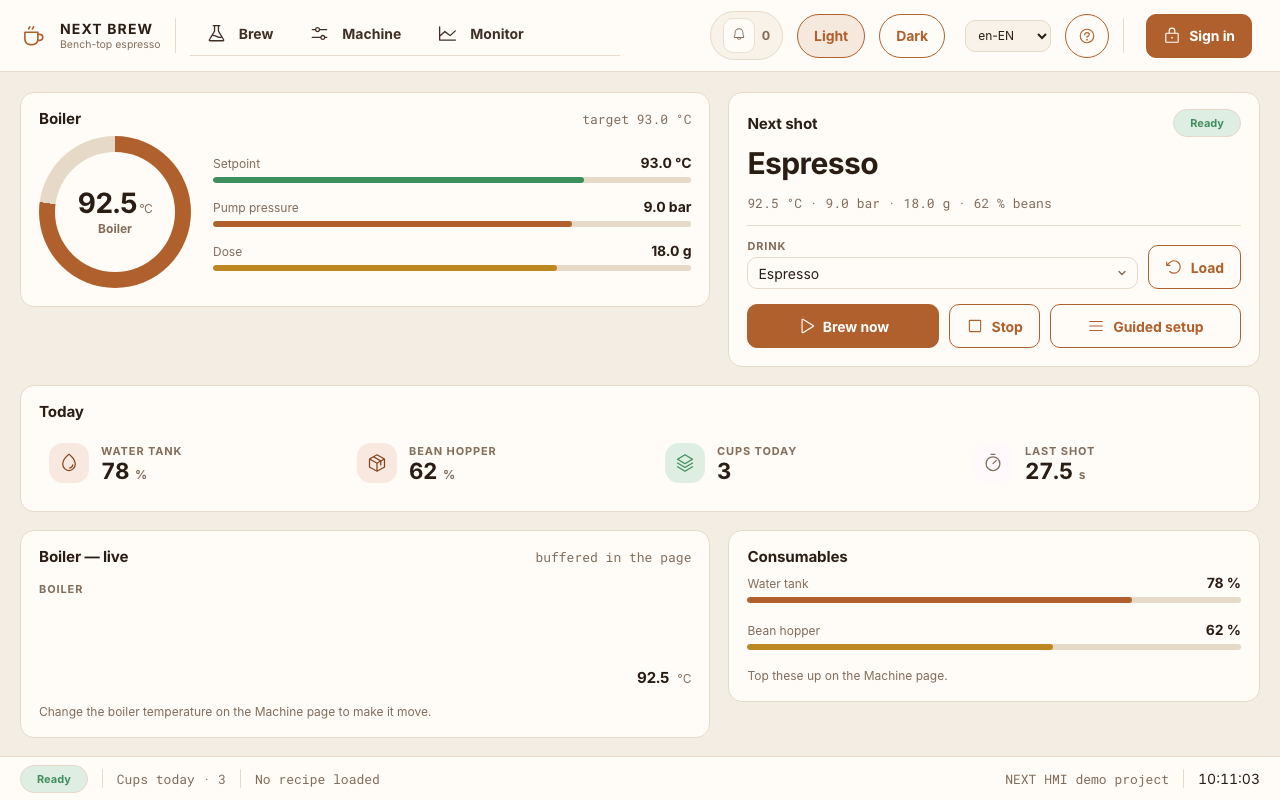
The Machine page is the machine.
Main power, the grinder, setpoints, the water tank: every value the Brew page shows, you set here. A Try this card lists what to poke, so the behaviour is something you trigger rather than read about.
- Push the boiler above 96 °C: a red alarm fires and pops up over the page.
- Drop the water tank below 15 %: a warning joins the alarm list, without a popup.
- Fill the grounds drawer: an info alarm, quietly logged.
- Load another drink on the Brew page: every setpoint moves at once, because a drink is a recipe.

Sign in, and the screen changes with you.
The header carries a Sign in button, and the demo accounts are printed on the dialog. What each role may do is a property on the widget, not code you have to review.
Guest
Can brew and watch. The setpoint steppers are visible but locked, and a caption says why.
barista / latte
An operator. Signed in, but still not in the admin group, so nothing on the Machine page unlocks.
brewer / espresso
The owner, in admin. The setpoints become operable and a Service card appears that was hidden entirely.
Small project, most of the product.
A guided setup wizard
Five dialogs chained into one flow, from choosing beans to starting the brew. No special widget.
Drinks as recipes
Espresso, Lungo and Flat White. Pick one, press Load, every setpoint follows.
Two themes, two languages
Crema and Dark Roast, English and Dutch, both switched from the header while it runs.
A day of history
Boiler temperature and pump pressure recorded every second, beside the alarm history.